
Know the next job.
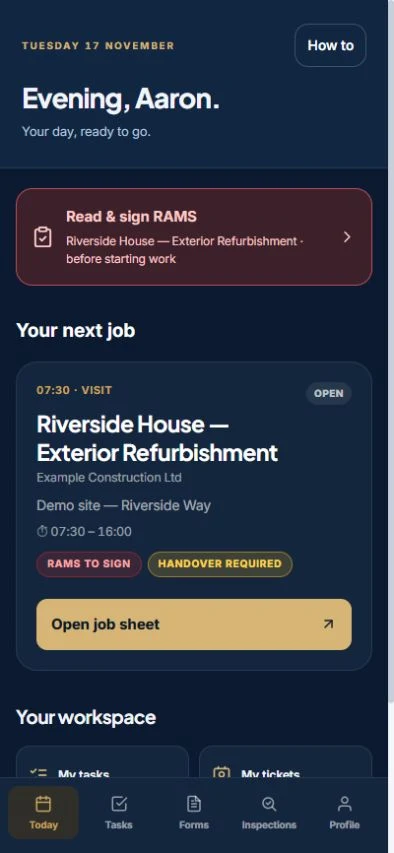
View assigned work and the details the office has scheduled. Keep the site, the planned visit and the job information together when the gang needs to know where it is going and what is expected.
See gang schedulingSITE OPERATIONS / BUILT FOR THE GANGS
Give the gang the work details and paperwork on their phones. The Scaffold Software site operations app keeps jobs, RAMS sign-on, tasks, inspections and project hours connected to the project.
THE DAY ON SITE
View assigned work and the details the office has scheduled. Keep the site, the planned visit and the job information together when the gang needs to know where it is going and what is expected.
See gang schedulingOpen the job’s RAMS sign-on workflow on the phone. Keep the gang’s acknowledgement with the work instead of treating the office document and the site record as separate tasks.
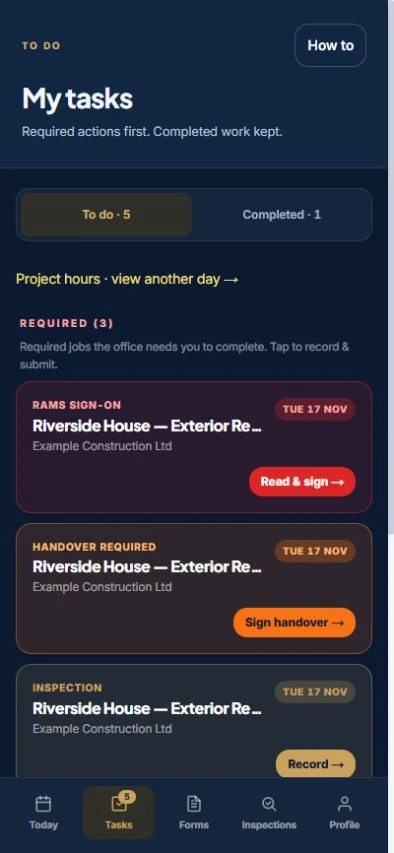
See RAMS and sign-onUse tasks to find the paperwork that needs attention. Complete the applicable handover and inspection workflows, with checks, photos and signatures recorded against the project.
See scaffold inspectionsRecord project hours and variation orders against the job. The office can review the records before preparing a payment claim.
Follow the work through to invoicingFeatures and workforce options depend on your plan and configuration. Ask us to demonstrate the exact setup your gangs will use.
A DEMO THAT LOOKS LIKE YOUR DAY
Ask us to assign a job, open it on the site screen, review RAMS sign-on and show the records back in the office. See how inspections, handovers and variations fit the same project.
Use the walkthrough to check who sees the information and which steps your team needs. Bring the people who will actually run the schedule and use the app.
The site app works alongside the office workflow. The gang sees assigned work on the phone while scheduling and project records remain connected to the office.
Work through site tasks, RAMS sign-on, handovers and inspections. Record project hours and variation orders against the job, ready for the office to review.
Book a Teams demo and choose the office-to-site focus. We will explain which features are included in your package and how trial access is set up.
SEE IT ON ONE JOB
Choose a time for a one-hour Teams walkthrough, or request a trial on the plan that fits your firm.
7-day management trial · No card needed · Our team sets up your access